Monitor
Enable monitoring so matching steps can re-run when new content appears on dynamic pages.
Monitor settings
- Infinite scrolling feeds (social media, news sites, product listings)
- Live comment streams (YouTube, social platforms)
- Dynamic form builders (lazy-loaded form sections)
- Real-time chat applications (new message handling)
- Progressive content loading (search results, dashboards)
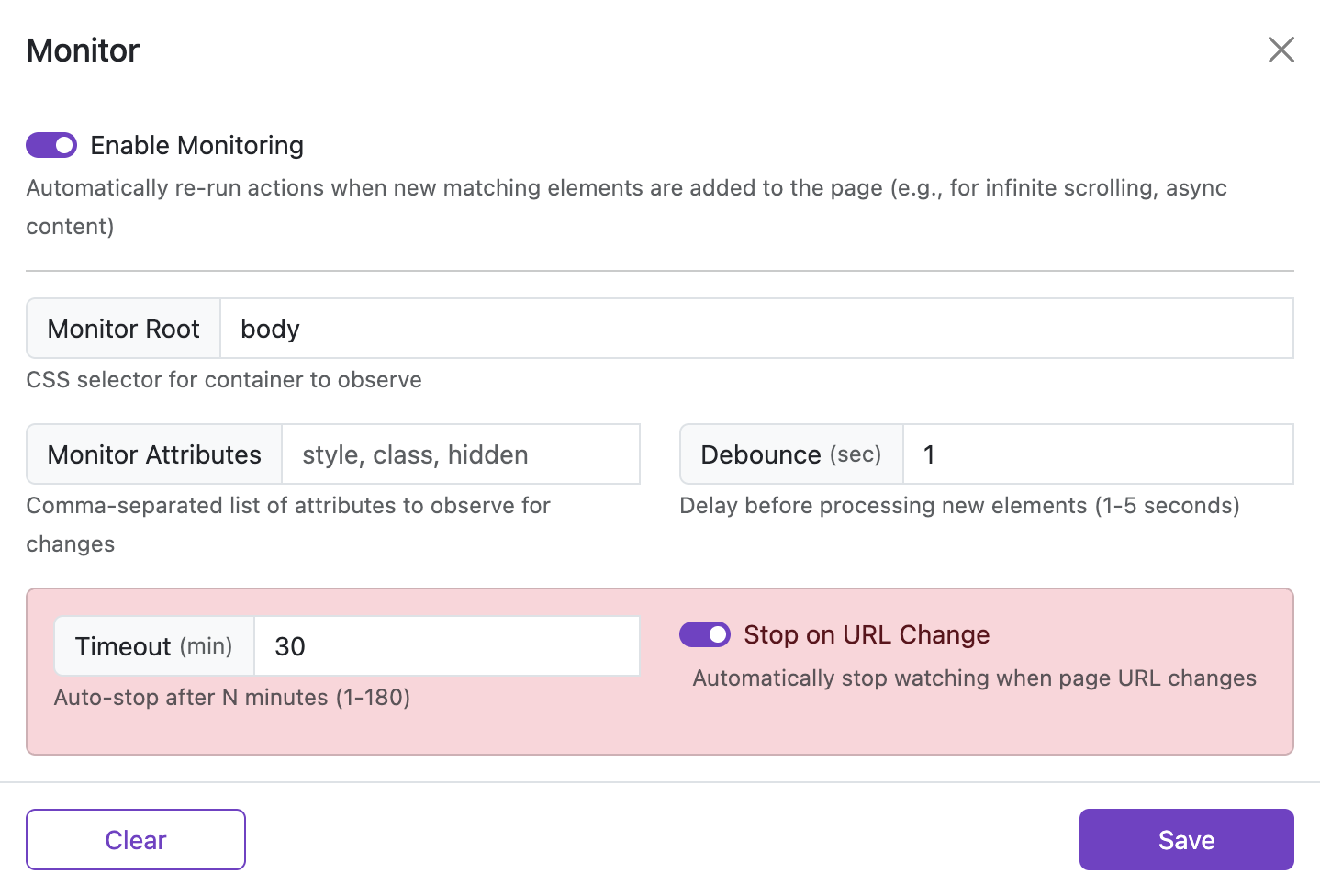
Enable Monitoring
Default: Off
When enabled, the automation continues observing the page after the initial run. If new elements appear that match a step target, the relevant step can run again automatically.
Debounce
Default: 500ms | Range: 100-5000ms
Delay before processing new elements when page mutations occur. This prevents excessive processing during rapid updates.
Examples:
100ms- Very responsive, suitable for real-time applications500ms- Balanced performance, good for most use cases2000ms- Conservative, for pages with frequent changes
Monitor Root
Default: body
CSS selector specifying the container to observe for changes. Limiting the scope improves performance on complex pages.
Examples:
body- Monitor the entire page (default)#main-content- Monitor a specific container.feed-container- Monitor a social media feed[data-testid="comments"]- Monitor a comments section
Monitor Attributes
Comma-separated list of HTML attributes to observe for changes in addition to child element additions.
- Leave blank to only watch for new or removed elements.
- Add attribute names such as
style, class, hiddento also trigger when those attributes change on existing elements.
Example: style, class, hidden
Timeout
Default: 30 minutes | Range: 1-180 minutes
Maximum time the watcher will remain active. The watcher automatically stops after this duration to prevent indefinite background processing.
Stop on URL Change
Default: On
Automatically stops monitoring when the page URL changes. This prevents background observers from running on unintended pages in single-page applications.
Example setups
YouTube Comments Auto-Like
Configure a step to automatically like comments from specific users:
- Element Finder:
//div[@id="contents"]//a[contains(@href, "/channel/UC123456")]/../../..//button[@aria-label="Like this comment"] - Monitor Settings:
- Enable Monitoring: ✅
- Monitor Root:
#contents - Debounce:
1000ms
Infinite Scroll Product Collection
Automatically add products to favorites as they load:
- Element Finder:
.product-card .favorite-button:not(.favorited) - Monitor Settings:
- Enable Monitoring: ✅
- Monitor Root:
.product-grid - Debounce:
500ms
Social Media Feed Automation
Process new posts in a social media feed:
- Element Finder:
[data-testid="tweet"]:not([data-processed]) .like-button - Monitor Settings:
- Enable Monitoring: ✅
- Monitor Root:
[data-testid="primaryColumn"] - Debounce:
800ms
Performance Considerations
- Use specific selectors: Narrow down the Monitor Root to the smallest relevant container
- Optimize debounce timing: Higher values reduce CPU usage but increase response time
- Monitor processing counts: Excessive processing may indicate selector issues
- Consider visibility checks: Enable for content-heavy pages to reduce unnecessary processing
- Set appropriate timeouts: Prevent runaway watchers with reasonable time limits
MutationObserver, which is generally performant, but observing large page sections with frequent changes can impact browser performance.