Step Settings
Overview of step settings including retry attempts, wait between retries, embedded page search, and fallback behavior.
These step-level settings override Global Settings and apply to both the step and its pre-checks. If you leave a field blank here, the step falls back to the global retry behavior.
Step 1 fails to find its target and jumps straight to step 3.
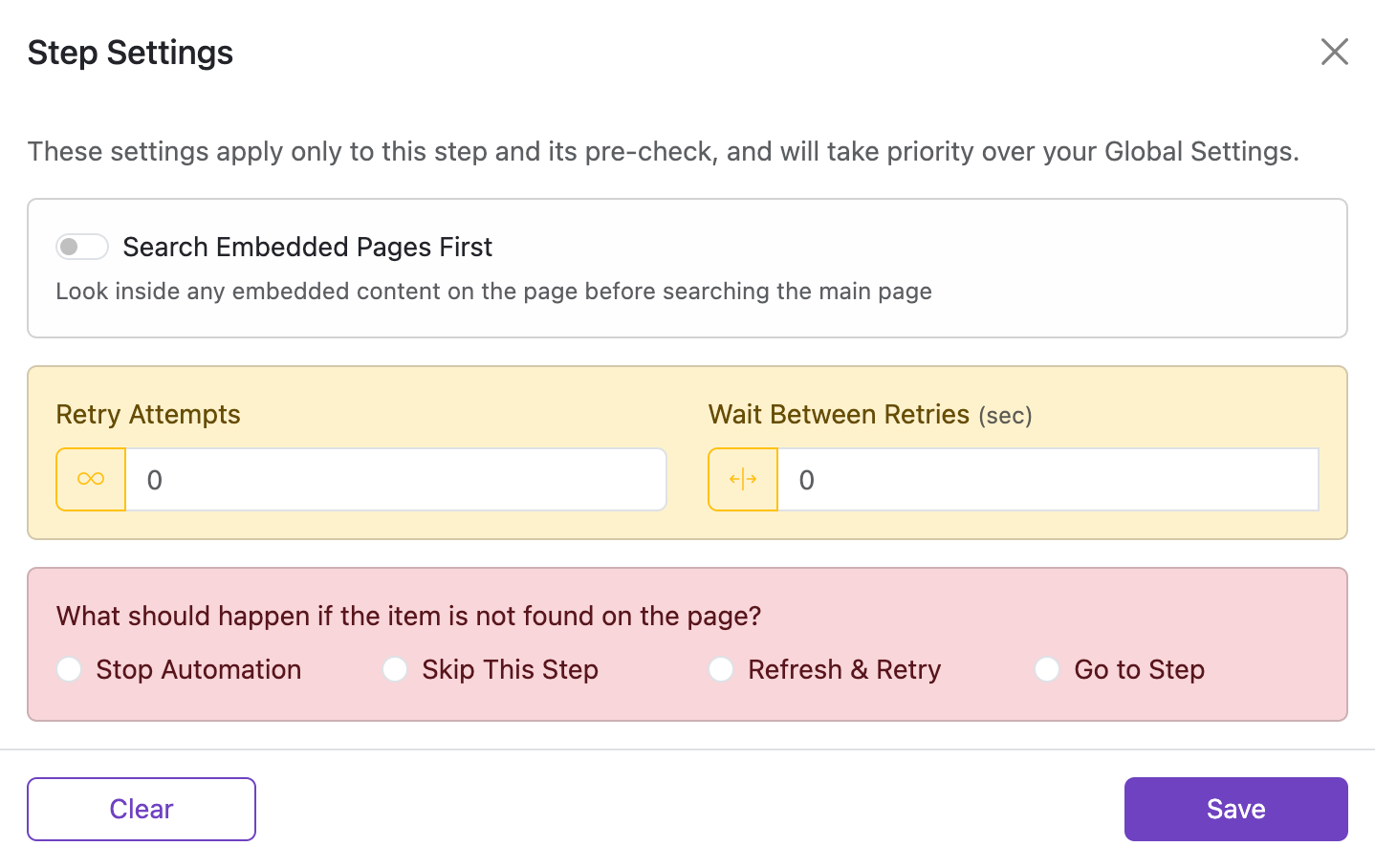
Search Embedded Pages First
If an element is inside an inline iframe, enable this to search within the embedded page first and then on the main page. This often improves performance when working with embedded content.
Default: off. Applicable to same‑origin iframes without a URL in the src attribute, for example:
<iframe src="about:blank"></iframe>
<iframe src=""></iframe>
If the iframe has its own URL, especially on a different origin, create a separate automation for that page instead of relying on iframe-first lookup.
Retry Attempts
How many times the extension should retry this step if the target is not found.
- Enter any positive number for a fixed retry limit, for example
10to try ten times. - Click the infinity button (∞) to keep retrying until the element appears.
- Leave it blank to inherit the global retry value from Settings.
Unlimited mode

Click the ∞ button next to the input to switch to unlimited mode. The number input is disabled and the extension keeps retrying until the element is found or the automation is stopped manually.
Wait Between Retries (sec)
How long to wait between each retry attempt.
- Enter a single number for a fixed delay, for example
2for a 2-second pause between tries. - Click the range button to set a random delay between a minimum and maximum value.
- Leave it blank to inherit the global retry interval from Settings.
Examples (seconds)
0.5— half a second1— one second1.5— one and a half seconds2— two seconds

From 1andTo 4— random value between 1 and 4 (enable range mode first)From 2andTo 3— random value between 2 and 3 (enable range mode first)From 0.5andTo 1.5— random value between 0.5 and 1.5 (enable range mode first)- Leave blank to use the default value (or start immediately, depending on the field)
What should happen if the item is not found on the page?
Choose what should happen if the target is still not found after all retries.
| Name | Default | Description |
|---|---|---|
| Stop Automation | selected | Stop the full automation immediately. |
| Skip This Step | not selected | Skip only this step and continue with the next one. |
| Refresh & Retry | not selected | Reload the current page and try again according to the automation flow. |
| Go to Step | not selected | Jump to a specific step in the list. |