Added in v3.3.0View on GitHub
Settings · Show Notification
Control how the extension displays notifications and optionally send alerts via Discord
On this page
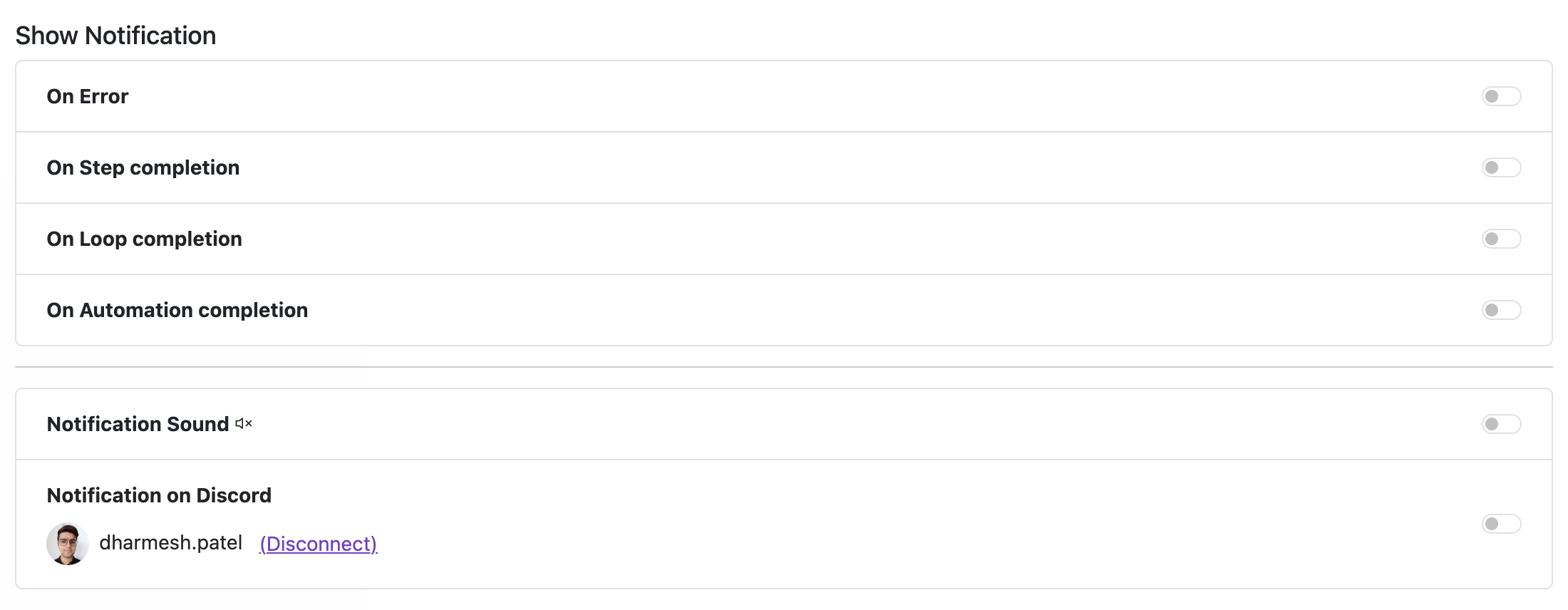
| Notification Type | Description |
|---|---|
| On Step completion | Notifies when an individual step is completed. |
| On Loop completion | Notifies when a loop of steps is completed. |
| On Automation completion | Notifies when an automation is completed. |
| On Error | Notifies when an error occurs during execution. |
Notification Sound
Toggle whether notifications play a sound.
Notification on Discord PRO
Connect the extension to a Discord server to receive notifications there. When enabled:
- Notifications (e.g., step complete, loop complete, errors) are sent to your Discord account.
- You must be part of the same Discord server and allow direct messages from server members.
! Important Enable notifications while configuring to catch errors quickly (e.g., missing/wrong XPath). You can turn them off once your setup is stable.
- You get 5 free calls per user each month for testing (resets monthly) across all integrations — including Discord notifications, Google Sheets, CAPTCHA, and AI workflows.
Need more for production? Upgrade to Pro for higher limits, faster throughput, and advanced features.